Property management software holds your most sensitive business data. Tenant personal information, financial records, lease agreements, maintenance schedules, all sitting in one centralized system. The question isn't whether this data is valuable. The question is: who has access to it?
Most property management teams operate without clearly defined access controls. A maintenance technician can view financial reports. A front desk staff member can access confidential lease terms. An intern has the same permissions as your operations manager. This isn't just poor practice it's a security vulnerability waiting to be exploited.
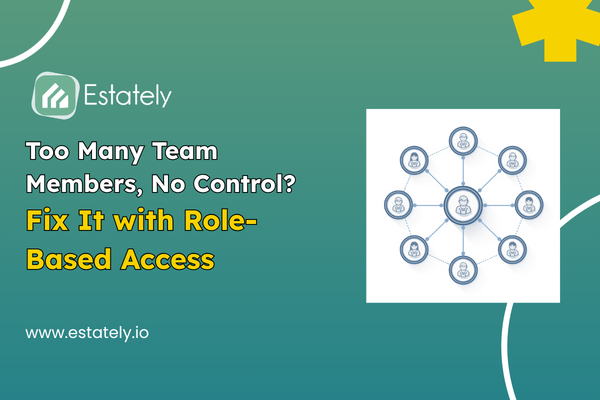
Role-based access control eliminates this risk by restricting system access based on job responsibilities. Instead of giving everyone full access, you define roles, assign permissions, and ensure each team member sees only what they need to do their job.
What Is Role-Based Access Control in Property Management?
Role-based access control is a security framework that limits software access based on predefined user roles. In property management, this means different team members property managers, leasing agents, maintenance staff, accountants have tailored access to specific features and data.
For example, a leasing agent might access tenant applications and lease documents but cannot view financial statements or vendor contracts. A maintenance technician can create work orders and update repair statuses but cannot access rent collection data. An accountant has full visibility into financial reports but limited access to operational dashboards.
This structured approach prevents unauthorized access, reduces human error, and creates an audit trail for compliance.
Why Property Teams Lose Control Without RBAC
Without role-based access control, property management companies face three critical problems:
Data breaches and security risks. When every team member has full system access, sensitive information is exposed. A disgruntled employee could download tenant data. A careless staff member might accidentally delete financial records. Unauthorized access creates liability.
Operational inefficiency. When users can access everything, they waste time navigating irrelevant features. A maintenance worker doesn't need to see accounting modules. A leasing agent doesn't need facility management dashboards. Excessive permissions create clutter and slow down workflows.
Compliance violations. Data protection regulations like GDPR and local privacy laws require businesses to limit access to personal information. Without RBAC, you cannot prove compliance. Auditors will flag unrestricted access as a red flag during inspections.
How Role Base Access Control Works in Property Management Software
Implementing role-based access control in property management involves four steps:
Define user roles. Identify distinct job functions within your organization. Common roles include property manager, leasing agent, maintenance technician, accountant, receptionist, and executive.
Assign permissions to roles. Determine what each role needs to access. Property managers might need full system access. Leasing agents need tenant management and lease tracking. Maintenance staff need work order creation and asset management.
Assign roles to users. Link each team member to their designated role. One person can hold multiple roles if their responsibilities overlap.
Monitor and adjust access. Regularly audit permissions to ensure they align with current job responsibilities. Employees change roles, and access must be updated accordingly.
Key Benefits of Role-Based Access Control
Protects sensitive data. RBAC ensures confidential information tenant IDs, financial records, lease terms—is visible only to authorized personnel. This reduces the risk of internal breaches and external attacks.
Improves team productivity. When users see only relevant features, they navigate the system faster. A leasing agent logs in and immediately accesses tenant applications without wading through maintenance schedules or accounting reports.
Simplifies compliance. Data protection laws require businesses to demonstrate controlled access to personal information. RBAC creates an audit trail showing who accessed what data and when. This documentation is critical during regulatory inspections.
Reduces training time. New employees don't need to learn the entire system. They're trained only on the features relevant to their role. This shortens onboarding and minimizes errors.
Prevents costly mistakes. When users can only access what they need, accidental deletions and incorrect data entries decrease. A maintenance technician cannot accidentally modify rent collection settings. An accountant cannot inadvertently reassign work orders.
RBAC Features Property Management Teams Need
Not all role-based access control systems are built the same. Property management companies should look for these features:
Granular permission settings. Beyond broad roles, the system should allow detailed control. For example, a property manager might have read-only access to accounting but full edit access to lease management.
Custom role creation. Pre-built roles are helpful, but your business is unique. The software should let you create custom roles tailored to your organizational structure.
Audit logs and activity tracking. Every login, file access, and data change should be logged with timestamps and user IDs. This creates accountability and helps investigate security incidents.
Role hierarchy and inheritance. Senior roles should inherit permissions from junior roles with additional privileges. A regional manager has all the permissions of a property manager plus oversight capabilities.
Multi-property access control. For companies managing multiple properties, RBAC should allow property-specific permissions. A property manager in Lahore shouldn't access data from a Karachi property unless explicitly authorized.
Implementing RBAC Without Disrupting Operations
Transitioning to role-based access control doesn't require a system overhaul. Follow this approach:
Audit current access levels. Review who currently has access to what. Identify unnecessary permissions that should be revoked.
Map roles to your organization. Define roles based on actual job functions, not job titles. Two people with the same title might need different permissions.
Communicate changes to your team. Explain why RBAC is being implemented. Employees may initially resist restricted access, but framing it as a security measure builds understanding.
Phase implementation. Start with high-risk data, financial records, tenant personal information—then expand to other areas.
Provide training. Ensure each team member understands their role and the features they can access. Offer refresher sessions as the system evolves.
How Estately Implements Role-Based Access Control
Estately's business property management features include built-in RBAC designed for property teams in Pakistan. The platform offers:
Pre-configured roles for common positions like property managers, leasing agents, and maintenance staff, reducing setup time.
Custom role builder for organizations with unique structures or specialized positions not covered by default roles.
Property-level access control that restricts users to specific buildings or portfolios, ideal for companies managing multiple properties across different cities.
Real-time audit logs tracking every user action with timestamps, IP addresses, and detailed activity descriptions for compliance and security investigations.
Two-factor authentication adding an extra security layer beyond role restrictions, preventing unauthorized access even if credentials are compromised.
These features ensure property management companies can implement RBAC without technical complexity or expensive consultants.
Stop Losing Control of Your Property Data
Role-based access control isn't optional for serious property management companies. It's the difference between a secure, compliant operation and a security incident waiting to happen. Without RBAC, you're trusting that every employee will handle data responsibly forever, a bet that always loses eventually.
Implementing Role base access control protects your business, your tenants, and your reputation. It ensures the right people access the right data at the right time. Nothing more, nothing less.
Ready to take control of your property management security? Estately's role-based access control features are designed for property teams managing co-working spaces, apartment buildings, commercial properties, and shopping malls across Pakistan. See how RBAC can protect your data while empowering your team. Contact Estately today to schedule a demo and discover how our platform can secure your operations without adding complexi