
Coordinate your whole operation with confidence
Whether you manage one site or many, Estately connects work orders, preventive maintenance, asset tracking, a client portal, a mobile field app, and performance analytics.

Request received
Work assigned
Visit updated
Performance visible
Example request journey


The coordination gaps behind multi-site maintenance
Requests, work, and updates lose their context.
Across client accounts, scattered intake and reporting make ownership, priorities, and service progress harder to see.

Fragmented intake
Requests arrive by call, message, or email without one accountable queue.
Unclear priorities
Without site context, dispatchers are left guessing which request comes first.
Reactive overload
Reported faults push recurring maintenance and inspections out of view.

Missed inspections
Teams struggle to see which scheduled inspections remain due.

Lost asset history
Scattered warranty and repair records obscure repeat faults and lifecycle context.

Client update gaps
Clients ask for progress when service teams cannot share status consistently.
Field delays
Assignments and progress notes wait until technicians are back at a desk.
Account inconsistency
Different client contacts, priorities, and reporting rules complicate standard workflows.

Slow reporting
Manual reports consume time and make open work harder to explain.

Limited visibility
Managers cannot easily compare overdue work, downtime, and costs across sites.
Sound familiar?
Estately runs work orders, maintenance, assets, and client updates from one platform.
Facility management essentials
Core Facility Management Capabilities
Explore the six capabilities at the core of Estately: Work Order Automation, Preventive Maintenance Scheduling, Asset Tracking, Client Portal, Mobile Field App, and Performance Analytics.
Work Order Automation
Create, assign, and track priority-based work orders.
Keep request status visible through the service workflow.
Give dispatchers a clearer view of assigned work.
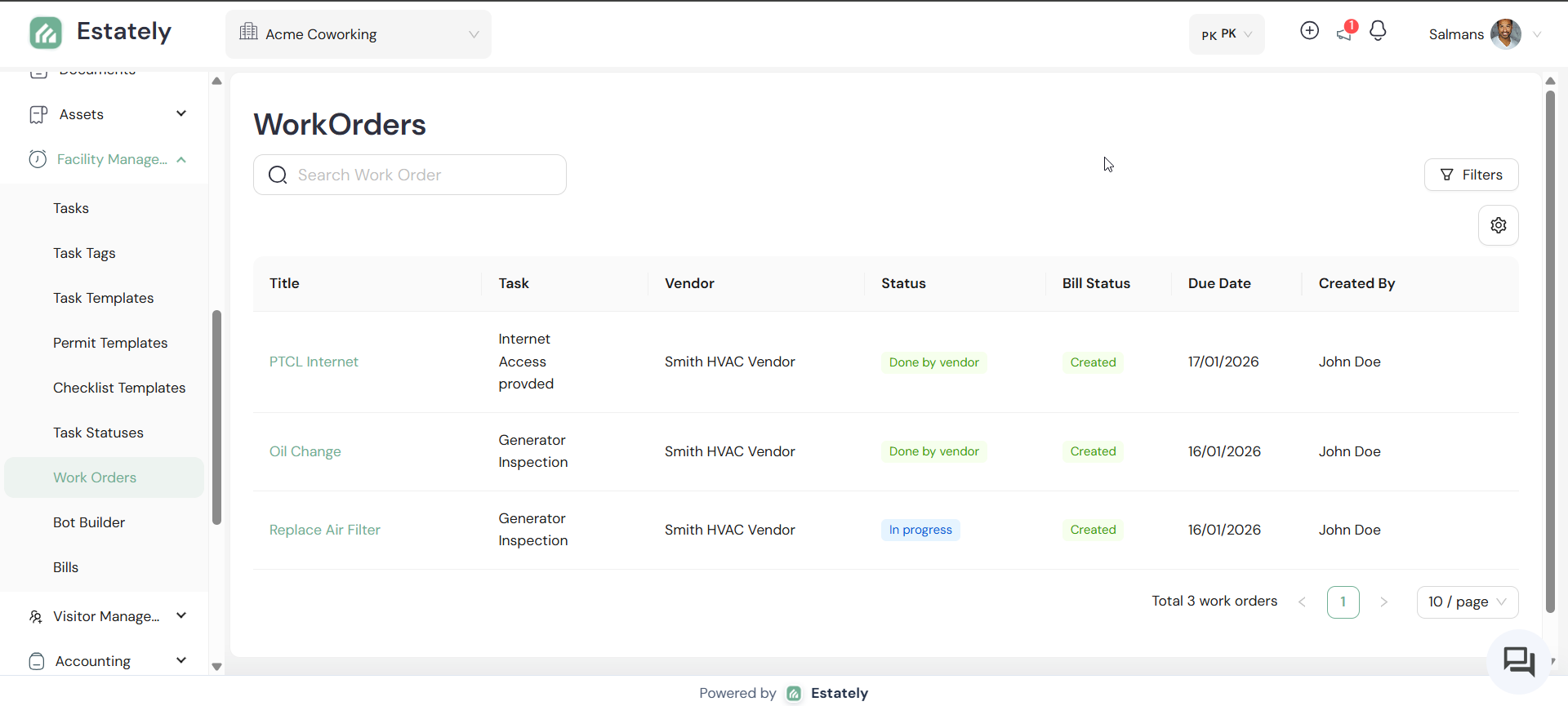
Expert tip. Set priority deliberately: weigh urgency, service impact, site context, and the client's agreed expectation, then let the work order carry that decision.
Preventive Maintenance Scheduling
Put recurring maintenance on a visible schedule.
Keep planned inspections distinct from reported faults.
Review scheduled activity across multiple sites.
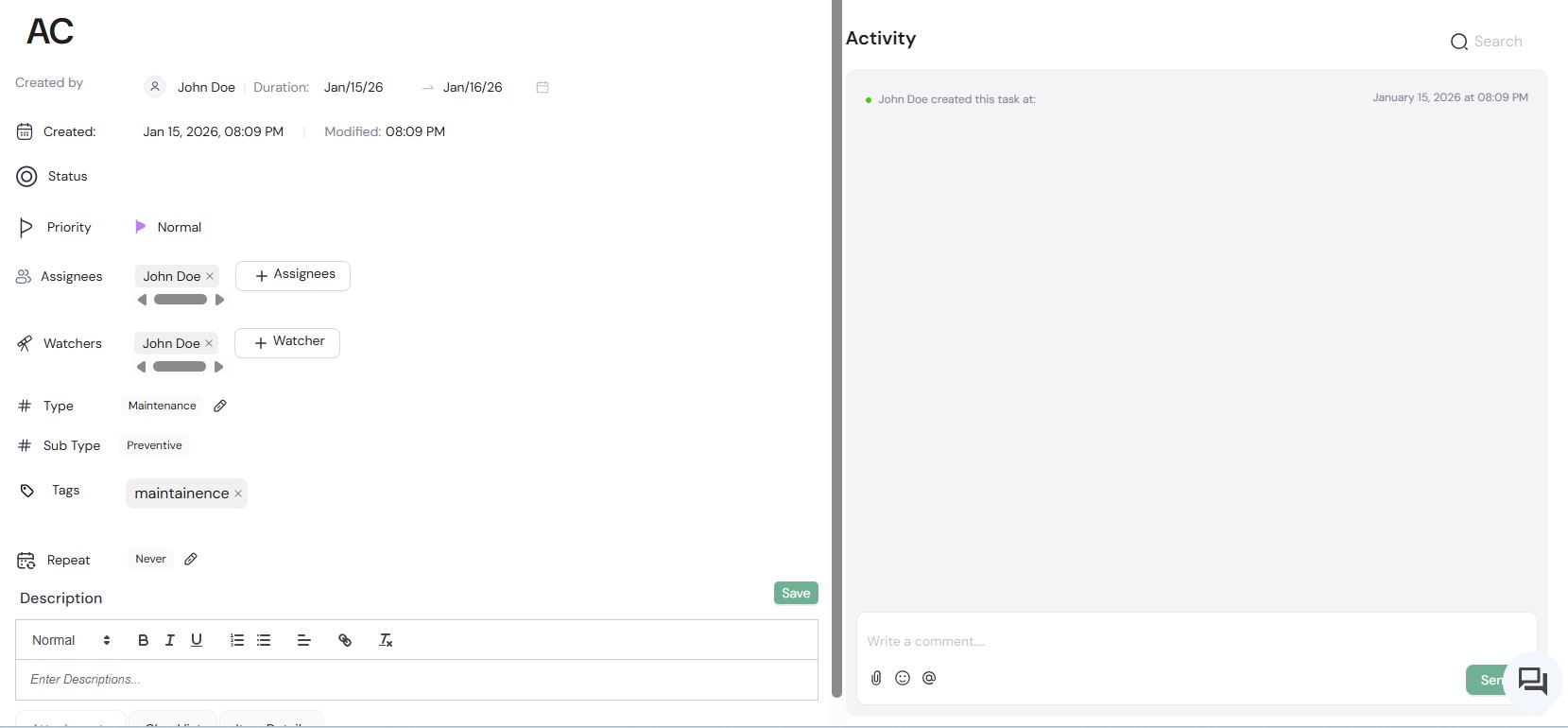
Expert tip. Preventive work starts from a schedule you set; reactive work starts with a reported fault. Track them separately so planned tasks stay in view.
Asset Tracking
Keep lifecycle and warranty context accessible.
Connect maintenance decisions to equipment records.
Make asset information easier to review across sites.
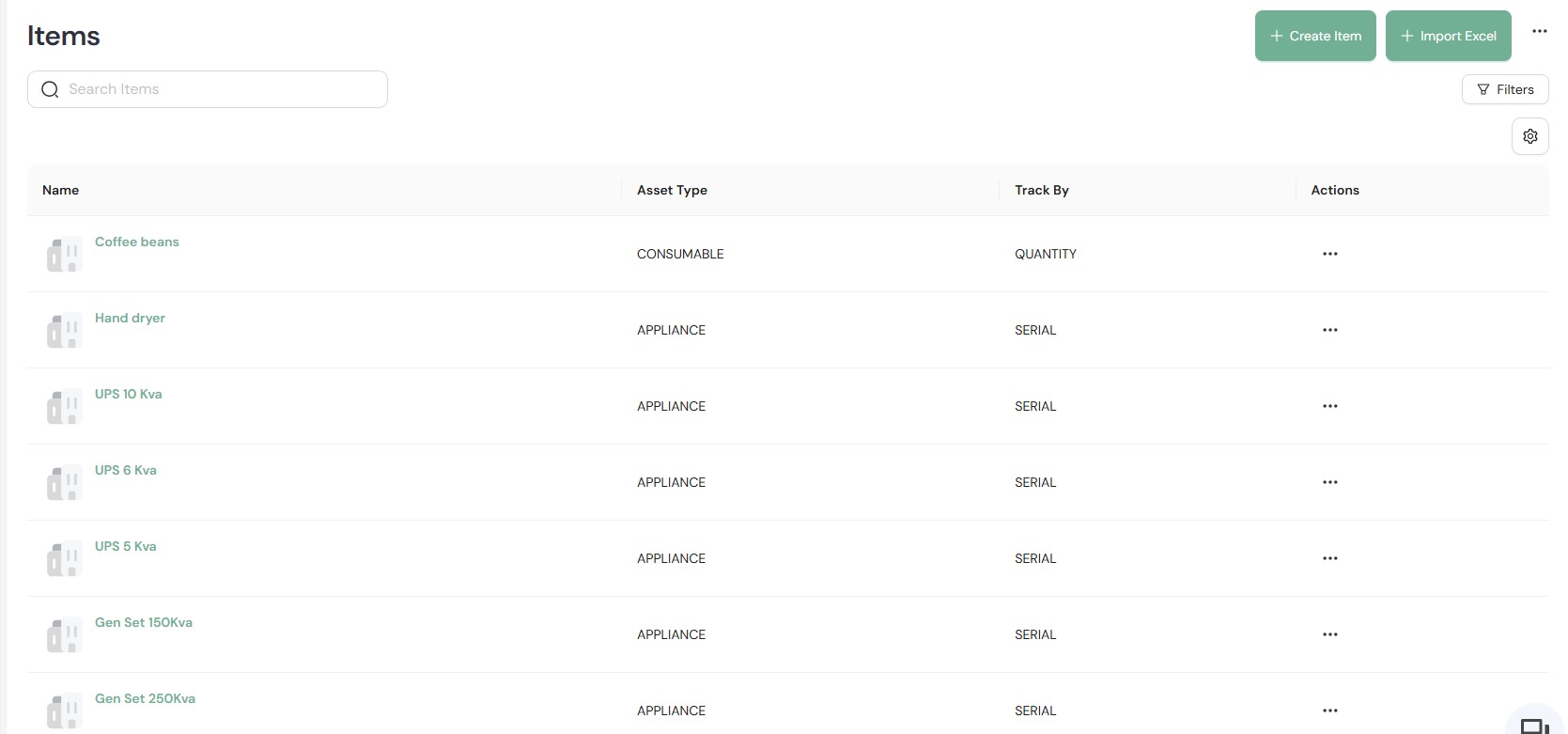
Expert tip. Picture a rooftop unit failing twice in one quarter. With its lifecycle and warranty data in view, the repair-or-replace decision starts from the record.
Client Portal
Give clients a place to view shared progress updates.
Share invoices and reports directly with clients.
Reduce reliance on separate status-update messages.
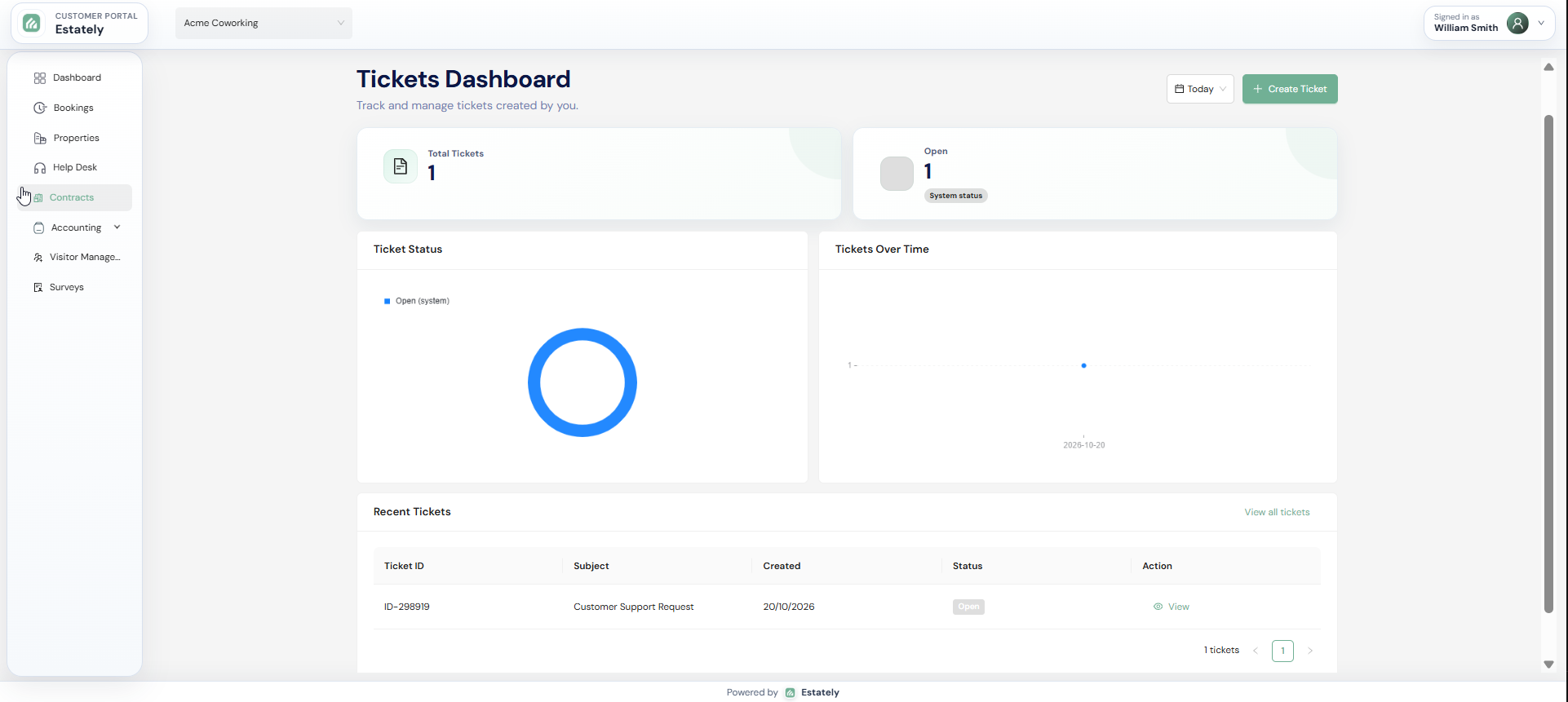
Expert tip. Write client-facing updates for the client, not the dispatcher: what was done, what happens next, and when. Keep internal notes internal.
Mobile Field App
Let technicians record work away from a desk.
Capture field updates as work progresses.
Keep assigned work connected to field activity.
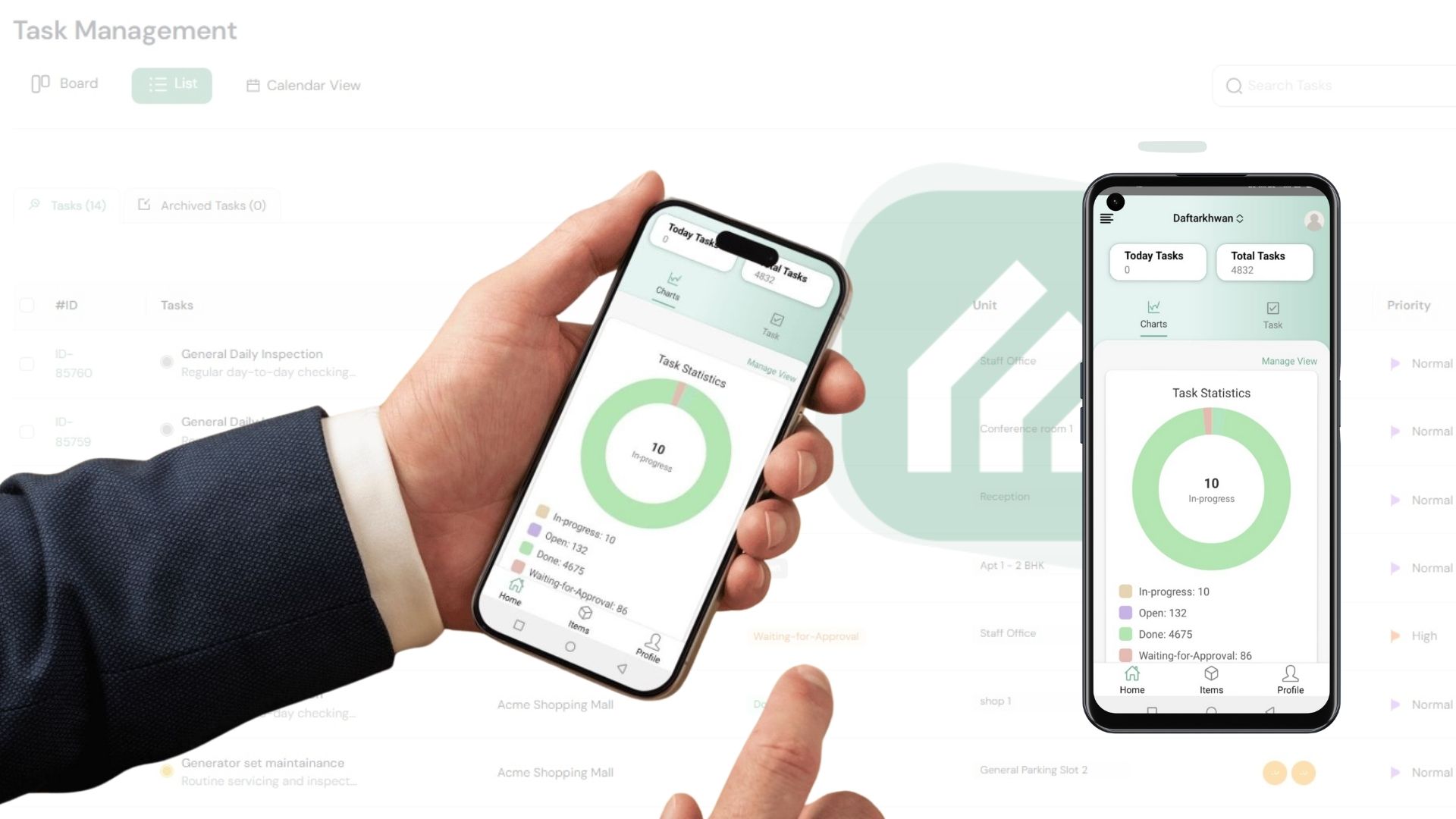
Expert tip. Agree on what a complete field update includes, such as work done, status, and next step, so every technician logs it the same way.
Performance Analytics
Review SLA measures alongside operational activity.
Monitor downtime and maintenance costs.
Give managers a cross-site view of performance.
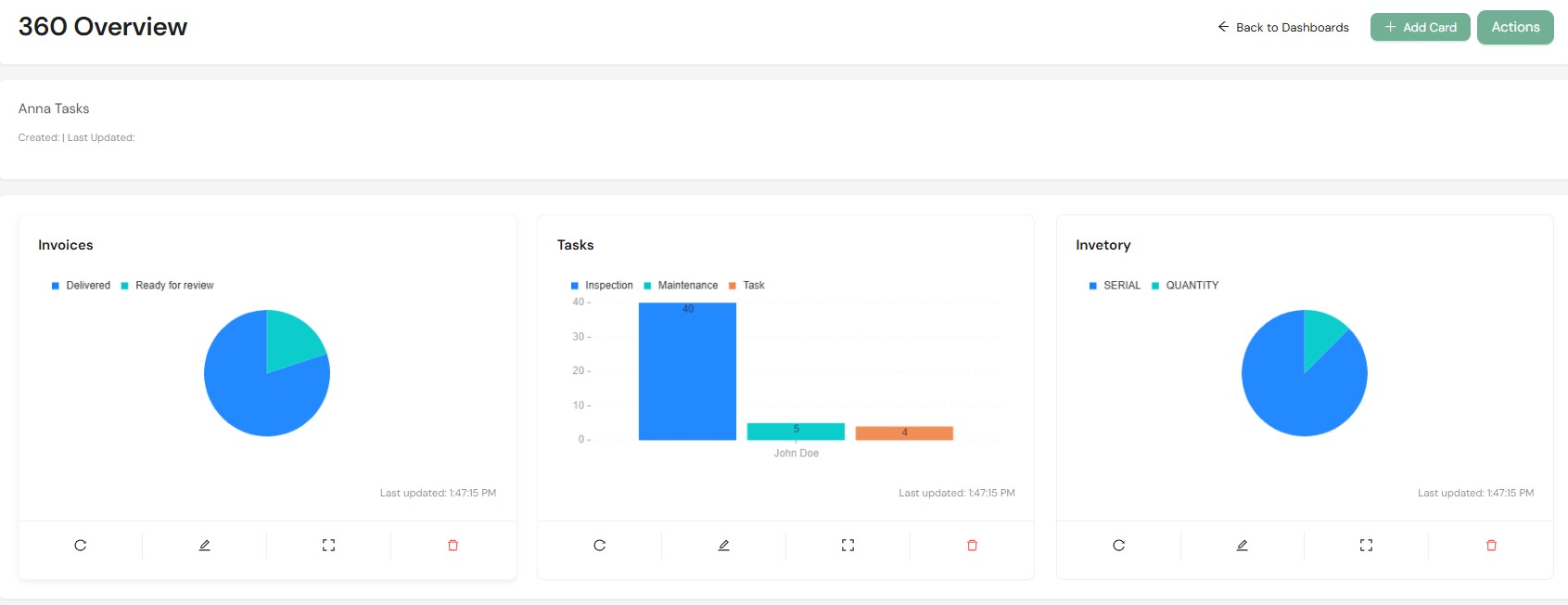
Expert tip. Define each measure before you compare sites: which SLA applies to which client account, and what counts as downtime for each asset type.
The Estately edge
Where Estately Goes Further Than Facility-Only Tools
Beyond the six core capabilities, Estately also includes inspections, compliance workflows, departments, fault reports, customizable dashboards, scheduled reports, and data export and integration, grouped here by team.
01
Inspections and compliance
For facility and operations managers
Inspections
Standardize inspections with templates and schedules.
Review inspection activity in reporting and dashboards.
Expert tip. Start with one template per inspection type, such as a monthly walk-through, then schedule it for each site that needs it.
Compliance Management
Work from compliance templates and checklists.
Use automated workflows to keep compliance tasks on track.
Expert tip. Map which requirements apply to each client account and site first. Templates organize the checks; your team decides what they must cover.
02
Departments and fault reports
For account and service managers
Departments
Organize your teams into departments in Estately.
Explore department setup during a product walkthrough.
Expert tip. List how your teams divide work today, by trade, region, or client account, so you can test how departments fit your structure.
Fault Reports
Record each reported issue as a fault report.
Give reactive maintenance a clear starting record.
Expert tip. Treat the fault report as the problem and the work order as the response, so records show what was reported and what was done.
03
Reporting and insights
For business and reporting teams
Customizable Dashboards and Scheduled Reports
Customize real-time dashboards for the views your team needs.
Set up scheduled reports for regular review.
Data Export and Integration
Export operational data for use in other tools.
Explore integration options for the systems you already use.
Benefits and Outcomes: What Facility Management Companies Actually Get
Clearer dispatch
Creating, assigning, and tracking work orders by priority gives dispatchers one visible queue for organizing requests.
Planned work in view
Recurring maintenance schedules help teams see planned work separately from reactive faults.
Accessible asset context
Lifecycle and warranty data in an asset dashboard put equipment context within reach for repair decisions.
Shared client progress
A client portal that shares updates, invoices, and reports gives clients a direct view of service progress.
Operational measures
Analytics for SLAs, downtime, and maintenance costs give managers measures to review across operations.
Follow one request through the hand-offs
See how one request moves from intake to assignment, field update, and client-facing progress.
Facility Workflow Snapshot
Those five benefits assume one thing: your team can see the whole client-account-to-work-order flow. Here's a quick self-assessment to find where yours breaks down.
1. Five yes/no signals
Pre-filled with a typical setup for the size you pick. Score one point per "no" or per scattered, manual process; "Partly" counts as a point.
Score 4 of 5: Start with a shared workflow
+ 1 more gap explained in your full assessment
A branded PDF with your answers, every gap explained and how to reach us.
Integrations and Connected Workflows
Accounting and invoicing systems
Note where job details are retyped into invoices today.
The client portal shares invoices with clients; ask about any accounting connection.
Identity and access management
Ask how access is managed for your teams and client stakeholders.
List the identity provider and sign-in requirements your IT team expects.
Data export and reporting destinations
Plan where exported data should land, such as a reporting tool.
Ask which destinations and transfer methods Estately supports today.
Keep context connected as work moves
See how Estately keeps clients, sites, assets, and field teams on the same page in a 30-minute demo.
Estately vs. Facility-Native Platforms
Compare the workflow and client-account fit, not feature labels alone; available capabilities vary by platform and configuration.
Estately
For teams coordinating work across client accounts and sites, Estately combines work orders, preventive maintenance, asset tracking, a client portal, mobile field updates, and analytics for SLAs, downtime, and maintenance costs.
Facility-native platforms
Facility-native platforms may focus on maintenance or cover broader operational areas; their capabilities, integrations, and client-facing workflows vary by product and configuration.
Frequently Asked Questions
It's software that helps a facilities provider coordinate maintenance work across client accounts and sites. In Estately, that covers work orders, preventive maintenance, asset tracking, a client portal, a mobile field app, and performance analytics.
In Estately, work orders are created, assigned, and tracked by priority. Recurring maintenance and inspections are scheduled across sites, asset lifecycle and warranty data sit in a dashboard, and the client portal shares progress with clients.
The six core capabilities are Work Order Automation, Preventive Maintenance Scheduling, Asset Tracking, Client Portal, Mobile Field App, and Performance Analytics. Estately also includes inspections, compliance management, departments, fault reports, dashboards, scheduled reports, and data export and integration.
A work order tracks a specific job through assignment and progress. Preventive maintenance is recurring planned work, such as scheduled maintenance or inspections, set up in advance rather than starting from a reported fault.
Through the client portal, which shares progress updates, invoices, and reports directly with clients. Ask how portal access is set up for your client stakeholders.
Technicians use the mobile field app to log work and updates on the go, so progress is recorded while they're away from a desk. Confirm any other field requirements during your demo.
Estately includes data export and integration, but this page doesn't list specific supported systems. Share the tools you rely on, such as accounting, identity, or reporting systems, and confirm each connection with the Estately team.
A focused demo follows one request: capture and prioritize it, assign and update the work, then review client or portfolio visibility. Bring a typical request from one of your sites to frame your questions.
Ask the Estately team when you book a demo. This page focuses on how the workflow fits together, so it doesn't cover pricing, implementation timelines, service terms, or performance figures.
Book your 30-minute demo
Book a demo to see how Estately helps your team capture and prioritize a request, assign and update work, and review client or portfolio visibility.
Use 30 minutes to walk through the hand-offs your team manages.
We stand behind our platform and are committed to your team's success.
Our team is here to help you get the most out of Estately, every step of the way.
Role-based access and audit trails keep your data protected and your operations transparent.