
Connect apartment operations across your teams
Manage rent and invoices, resident requests, maintenance, move-ins, announcements, and financial insights in one connected workflow, from one site to many.

Rent posted
Request logged
Move-in ready
Report viewed


Apartment operations problems that slow teams down
Disconnected work creates avoidable follow-up.
Apartment operations slow down in the gaps: rent tracked by hand, requests spread across chat and email, and details passed from team to team.
Rent chasing
Manual reminders make payment follow-up harder to track.
Lost messages
Requests scattered across chats are easy to miss.
Repair uncertainty
Residents cannot see who owns an open repair.
Unclear priorities
Teams struggle to distinguish urgent work from routine tasks.
Financial blind spots
Separate records slow down expense and receivable reviews.
Paper handovers
Disconnected inspection notes can complicate apartment move transitions.
Repeated entry
Teams re-enter details when disconnected systems interrupt workflows.
Portfolio sprawl
More sites create more handoffs for teams to coordinate.
Sound familiar?
Pick the problem that creates the most follow-up for your team, and start your demo there.
Apartment essentials
Core Apartment Capabilities
Explore Rent and invoices, Resident portal, Move-in/move-out, Announcements, Maintenance, and Financial insights.
Rent and invoices
Generate rent invoices and track payment records.
Send reminders and receipts from a connected workflow.
Make payment status easier for staff to review.
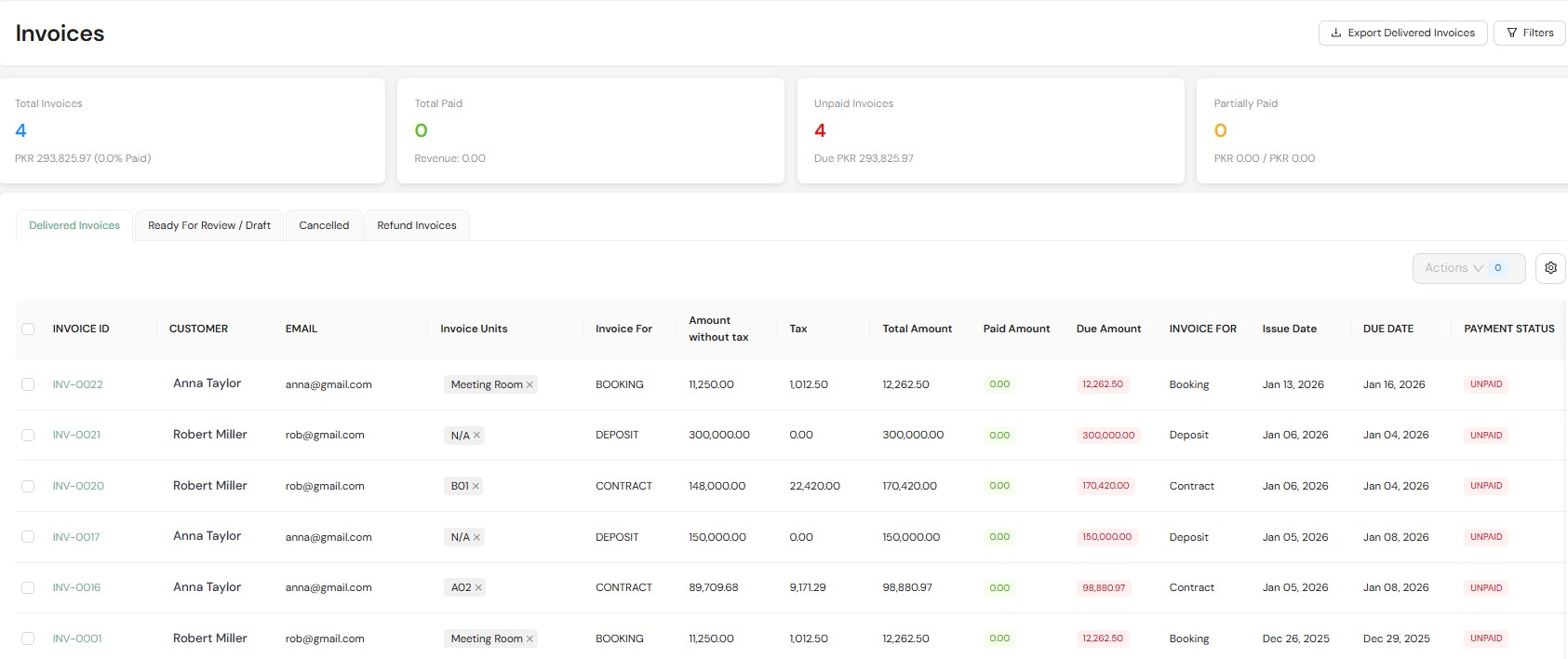
Expert tip. Agree on one reminder schedule before go-live: when the first notice goes out, when it repeats, and who follows up on partial payments.
Resident portal
Let residents view invoices and make online payments.
Give residents a way to submit maintenance requests.
Keep resident actions in one portal instead of scattered messages.
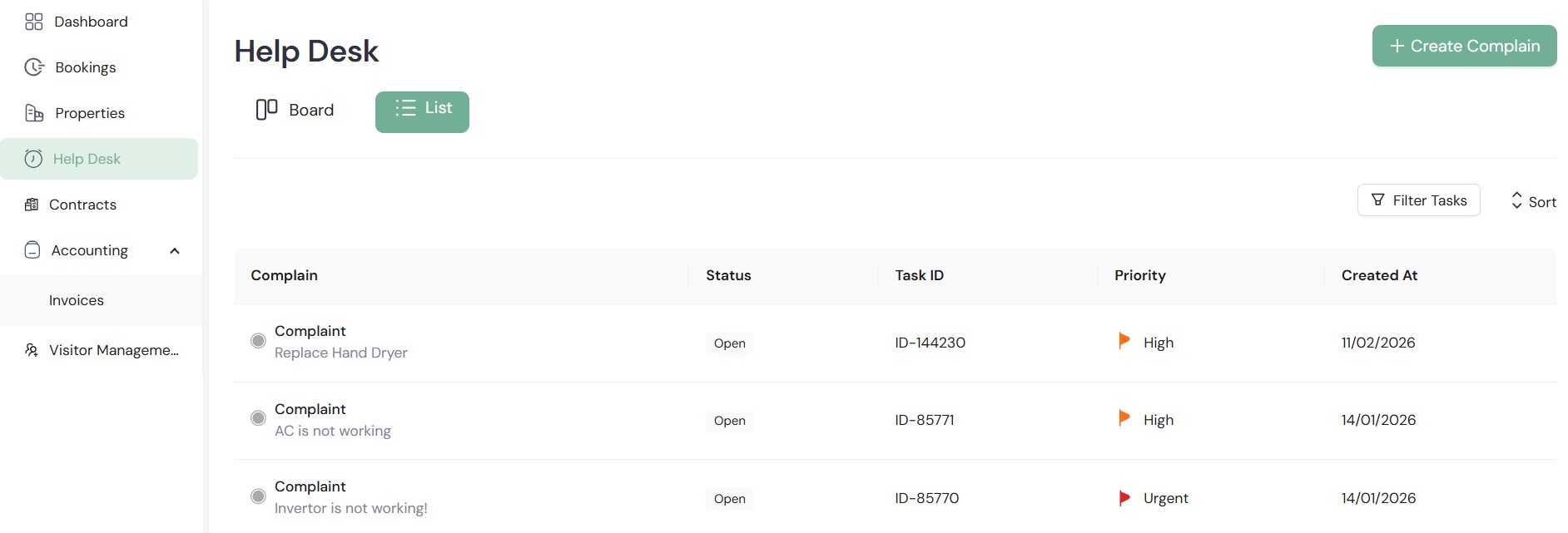
Expert tip. Decide which request types residents can submit themselves and which still go through the office, and share that list when you invite residents.
Move-in/move-out
Record unit inspections and related notes.
Track deposits and handover information.
Keep move-in and move-out records together.
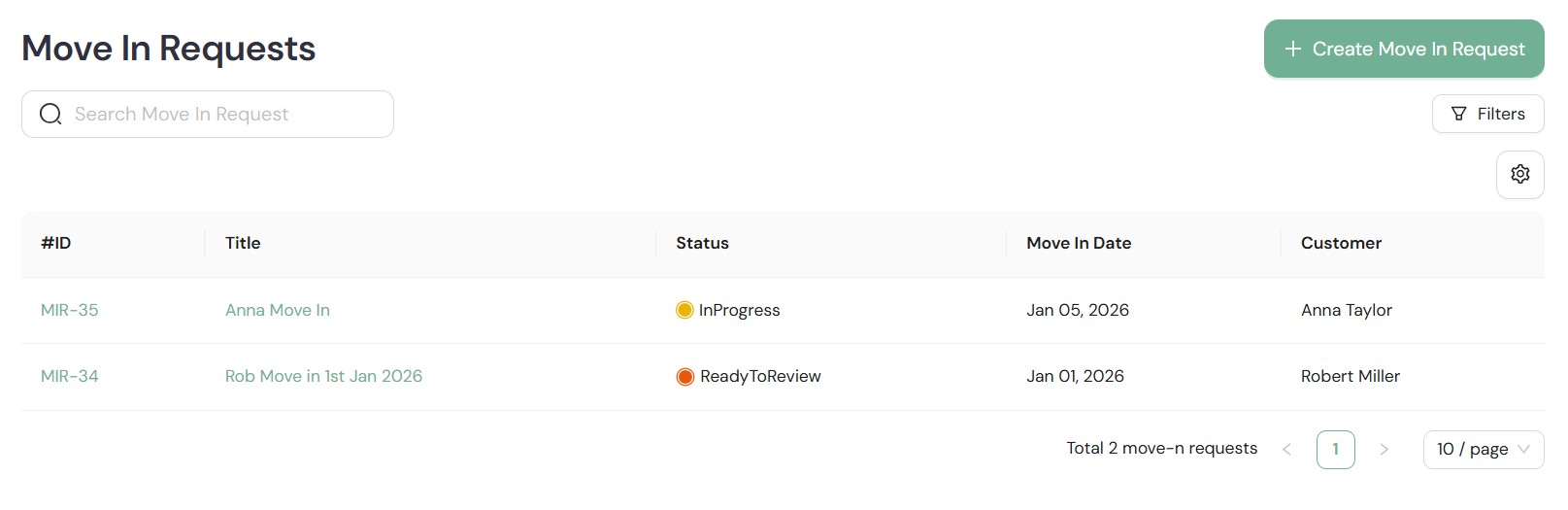
Expert tip. Record the unit's condition with photos at move-in, so the move-out inspection has a baseline to compare against.
Announcements
Send resident notices and property updates.
Share alerts with residents on web and mobile.
Use announcements to keep resident communications organized.
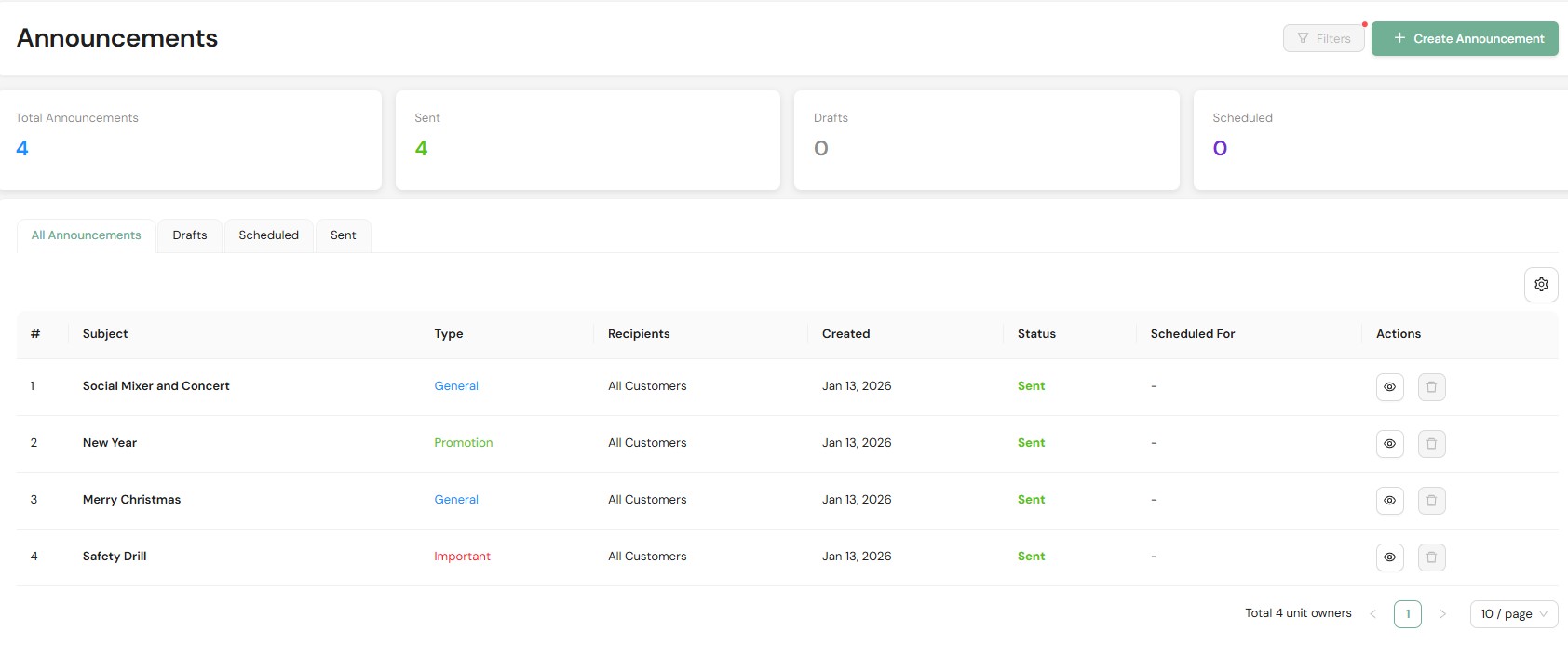
Expert tip. Send each notice only to the building or units it affects, so residents keep reading the ones that reach them.
Maintenance
Log requests and show their current status.
Assign work to vendors and set priorities.
Give teams a record to review after completion.
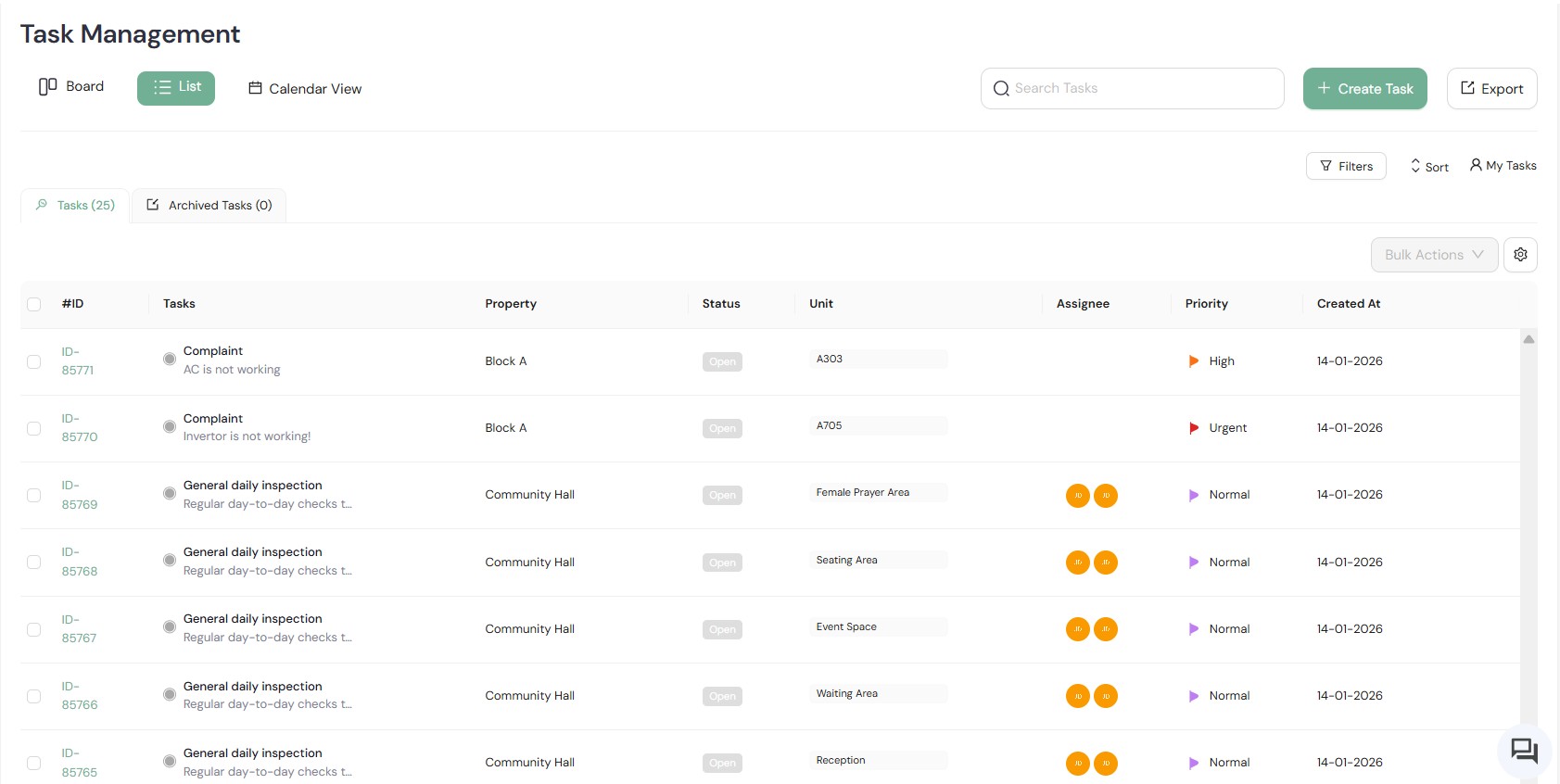
Expert tip. Start with the workflow that creates the most follow-up. Show its owner, status change, resident update, and final record in one uninterrupted demo.
Financial insights
Review monthly and yearly financial summaries.
Track expenses and organize financial information.
Give managers a clearer starting point for financial review.
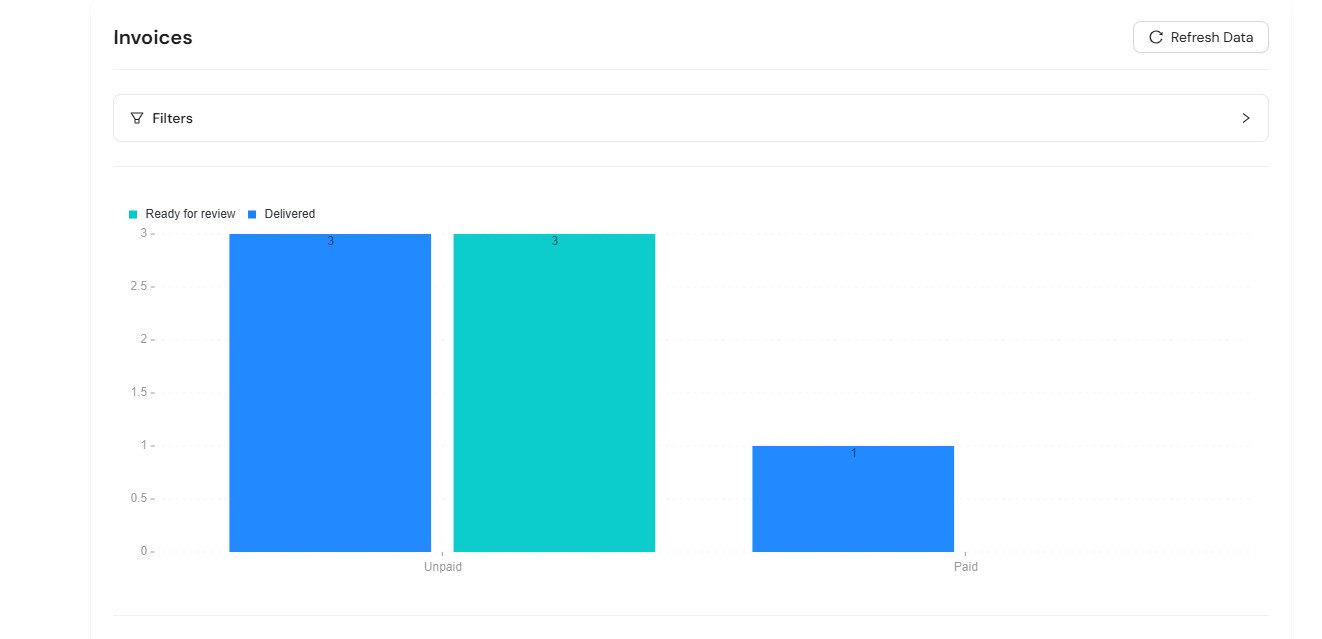
Expert tip. Review expenses on the same day each month and compare them with the previous month, so changes stand out before the yearly summary.
The Estately edge
Where Estately Goes Further Than Apartment-Only Tools
Beyond apartments, Estately serves commercial buildings, co-working spaces, shopping malls, and facilities management companies. Each lane below shows what to explore and confirm in your demo.
01
Building operations
For facility and operations managers
Assets app
Estately’s app set includes an Assets app.
Ask which asset-related workflows and records it supports, and whether they link to maintenance requests.
Expert tip. Have the Estately team walk through the Assets app on screen before you judge how it fits your building operations.
Operations across property types
Estately’s scope includes facilities management companies, not only apartment operators.
Ask how Estately handles staff who work across more than one property type.
Expert tip. Bring one recurring handoff from your own operation to the demo and see exactly where it fits in the product.
02
Admin and multi-site control
For portfolio teams
Admin and Rooms apps
Admin and Rooms are also part of Estately’s app set.
Ask how each one applies to your sites, team roles, and records.
Expert tip. Map who needs access to what, by property and team, before setup talks begin. Then ask Estately to show how permissions work.
One site to many
Built for teams running apartments from one site to many.
Ask Estately to confirm how many sites are supported and how records are organized across properties.
Expert tip. Ask to see what stays specific to a building and what a portfolio manager can review across sites.
03
Resident experience
For resident-facing teams
Customer app
Estately’s app set also includes a Customer app.
Ask which resident-facing tasks it supports and how it relates to the Resident portal.
Expert tip. Request a walkthrough of the exact resident journey your team wants to improve, step by step.
Cross-property fit
Serve commercial tenants or co-working members too? Name each group up front so the demo reflects them.
Evaluate apartment workflows on their own before adding other property operations to the picture.
Benefits and Outcomes: What Apartment Teams Actually Get
Centralized rent follow-up
Invoice automation centralizes payment follow-up, so staff can review rent records without searching several inboxes.
Resident self-service
A resident portal gives residents a route to invoices, payments, and maintenance requests.
Visible maintenance ownership
Assigning each request a vendor and priority makes responsibility easier for staff to see and review.
Recorded unit transitions
Digital inspection, deposit, and handover records keep move-related information together when a unit changes hands.
A clearer financial review
Monthly and yearly summaries give managers a starting point for reviewing expenses.
See the workflow behind each outcome
Bring the apartment workflow your team handles most often, and we'll start the demo there.
What breaks as your apartment operations scale?
Tick what you already run today. We show the operational gaps that hurt first as you grow from one site to six or more, ranked by how much damage they do at your size.
1. Where are you now, and what do you already have?
Pre-filled with a typical setup for the size you pick. Change anything that doesn't match yours; "Partly" counts as a gap.
Exposed in 7 of 9 areas at 1 site
+ 4 more gaps explained in your full assessment
A branded PDF with your answers, every gap explained and how to reach us.
Integrations and Your Property Operations Stack
Ask about your integrationsAccess Control and Visitor Check-In
Integrate access control and visitor check-in with resident and unit records.
Entry permissions update automatically when residents move in, renew, or move out.
Payment Gateways and Third-Party Apps
Connect to payment gateways so residents can pay rent and invoices online.
Integrate with the accounting and third-party apps your team already uses.
Self-Service Resident Portal and Mobile App
Residents view invoices, pay rent, and submit maintenance requests from any device.
Reduces calls to the management office and keeps every request on record.
Ready to walk through your toughest workflow?
Book a demo to see how Estately handles rent and invoices, resident and maintenance workflows, and move-in/move-out with financial visibility.
Estately vs. Apartment-Native Platforms
Compare workflow fit, setup, visibility, and portfolio needs.
Estately
Connect the apartment workflows shown here with a broader property-operations proposition; confirm scale, configuration, and integrations in a demo.
Apartment-native platforms
May offer deeper apartment-specific workflows; availability and fit vary by platform and package.
Frequently Asked Questions
Estately covers six apartment workflows: rent and invoices, the resident portal, move-in/move-out, announcements, maintenance scheduling, and financial insights. Each one is shown in Core Apartment Capabilities above.
Yes. Through the resident portal, residents can log maintenance requests, view invoices, and make payments online.
Estately is built for apartment teams from one site to many. Your demo is the place to confirm the supported site range and configuration for your portfolio.
This page doesn’t name specific integrations, so confirm them in your demo. Ask for the supported systems, the records each one exchanges, setup requirements, and any separate subscription costs.
Implementation depends on your current records, team, and open work, so settle the details in your demo. Ask who moves existing records, how each user group is trained, and how open requests are handled during the switch.
Book your 30-minute demo
Bring a recurring workflow and see how Estately handles the steps that matter to your team.
We stand behind our platform and are committed to your team's success.
Our team is here to help you get the most out of Estately, every step of the way.
Role-based access and audit trails keep your data protected and your operations transparent.