
Commercial property management software for your whole operation
Estately brings lease and tenant management, maintenance, billing, and reporting into one platform, so your team can run commercial properties from one site to many.

Lease renewed
Repair assigned
Invoice followed up
Inspection reminder


When building work is scattered, follow-up gets harder.
The small handovers add up.
These are everyday snags. Each one maps to a workflow Estately covers, from lease events to the portfolio view.
Scattered records
Lease dates, tenant details, and documents sit in different places.
Missed lease dates
Teams rely on individual reminders for renewals and escalations.
Rent follow-up
Staff spend time chasing payment status across separate records.
Invoice delays
Unclear ownership makes invoice follow-up harder to coordinate.
Lost requests
Maintenance reports arrive by calls and messages without one clear record.
Vendor handovers
Teams and vendors can lose track of who owns the next task.
Blind reporting
Comparing occupancy, revenue, and expenses takes manual assembly.
Compliance reminders
Inspection and certification dates can depend on memory.
Tenant communication
Tenants may lack one clear place to raise requests or follow updates.
Cross-site visibility
Managers struggle to see activity across buildings consistently.
Sound familiar?
Pick the three that cost your team the most time, and we'll show you the matching Estately workflows in a demo.
Commercial buildings essentials
Core Commercial Building Capabilities
Six modules form the core: rent and invoice automation, tenant experience portal, maintenance tracking, analytics dashboard, compliance management, and multi-site control. Here's what your team does in each.
Rent and invoice automation
Track rent, lease escalations, and collections in one place.
Keep invoice status in the same workflow as rent follow-up.
See each tenant's next action and assign who handles it.

Expert tip. Start with a recurring workflow and trace one lease event through follow-up, ownership, and status before touring less frequent tasks.
Tenant experience portal
Give tenants one place to raise requests and review payment information.
Share request updates and messages where tenants can follow them.
Handle the same requests from a separate staff management view.
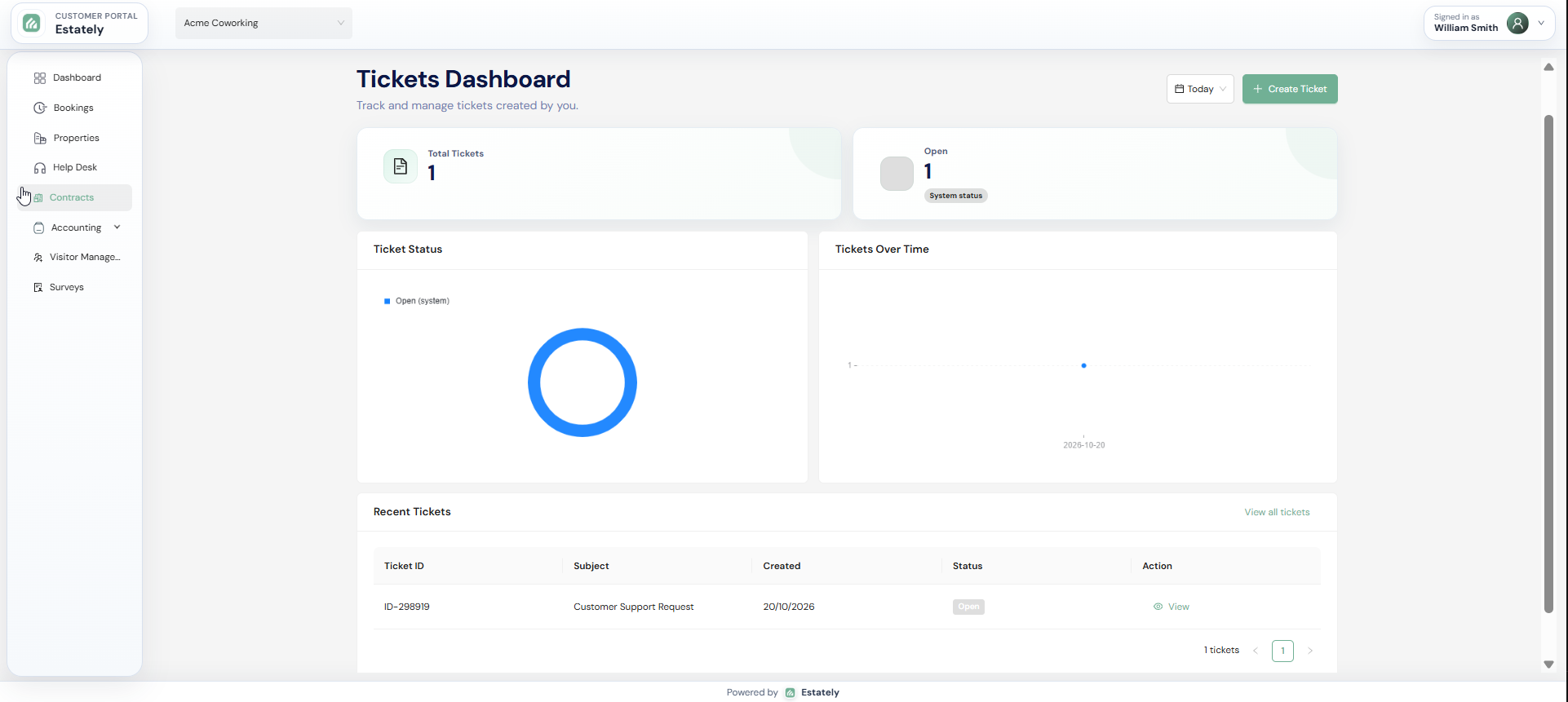
Expert tip. Ask to see the tenant's view beside the staff workflow, so you can judge what tenants handle and what staff still manage.
Maintenance tracking
Log each report as a ticket and assign who does the work.
Follow each ticket's status against its service-level target (SLA).
Start the next handover with the ticket's context, not a phone call.

Expert tip. Trace one request through creation, assignment, status, and closure, and check how its service-level target is displayed along the way.
Analytics dashboard
Review occupancy, revenue, and expenses on one dashboard.
Compare the same measures across the properties you manage.
Use the built-in views; discuss exports and reporting integrations in your demo.

Expert tip. Tie each measure to a decision you already make, such as where to focus leasing or which costs to review first.
Compliance management
Set reminders for certifications, inspections, and safety renewals.
Keep upcoming dates visible to the team, not one person's calendar.
Pair reminders with your own legal and regulatory checks.

Expert tip. Treat it as a reminder workflow: set each reminder early enough to book the inspector or contractor, not just to notice the deadline.
Multi-site control
Manage multiple buildings under one login.
Set property-level permissions, which control who sees each building's information.
Keep the portfolio view for leadership while site teams see their buildings.

Expert tip. Before your demo, list which roles need one site, several, or the whole portfolio. Then check those views against the available permissions.
The Estately edge
Where Estately Goes Further Than Commercial-Only Tools
Beyond the six core modules, Estately also offers capabilities for operations, administration, and rollout: vendor and task management, a centralized CRM, mobile access, pricing that scales, and expert training. Weigh each against your current setup.
01
Operations
For facility and operations managers
Vendor management
Keep details of the vendors who service each building.
In your demo, test it against how you coordinate contractors.
Expert tip. Ask to see where vendor details and related work appear. If you need procurement or vendor payments, raise them as separate questions.
Task management
Assign tasks so each piece of work has a named owner.
When work changes hands, the task shows who owns it now.
Expert tip. Bring one handover your team repeats, such as a shift change, and ask to see which task details the product records.
02
Administration
For portfolio administrators
Mobile access
Reach Estately away from the desk through a mobile-friendly app.
Admin, Assets, Customer, and Rooms apps are available on iOS and Android.
Expert tip. Pick the task you most need on the move, then ask for a live walkthrough in the matching app.
Centralized CRM
Keep customer relationship records in one shared CRM, not personal lists.
A demo can clarify how it maps to your relationship management.
Expert tip. Find out which records the CRM centralizes and who can open them, then compare that with where your contact lists live today.
03
Rollout
For owners and implementation leads
Pricing that scales by portfolio
Pricing scales with the number of units and properties you manage.
Rates and terms for your portfolio are discussed with our team.
Expert training
Expert training is available to help your team adopt the platform.
Check what it covers and how it fits your rollout.
Benefits and Outcomes: What Commercial Property Teams Actually Get
Lease information
Centralized lease information gives teams a clearer place to follow dates, escalations, and tenant details.
Maintenance ownership
Ticket-based maintenance tracking makes ownership and request status easier to follow across handovers.
Tenant requests
A tenant experience portal gives tenants one clear place for requests, payment information, and updates.
Portfolio review
Occupancy, revenue, and expense views help managers review portfolio activity without assembling every measure manually.
Multi-site access
Multi-site visibility and property-level permissions help teams balance portfolio oversight with site-level access.
See the workflow behind each outcome
Bring the workflow your team handles most often, and we'll start the demo there.
What breaks as your commercial portfolio grows?
Tick what you already run today. We show the operational gaps that hurt first as your portfolio grows from one site to six or more, ranked by how much damage they do at your size.
1. Where are you now, and what do you already have?
Pre-filled with a typical setup for the size you pick. Change anything that doesn't match yours; "Partly" counts as a gap.
Exposed in 7 of 9 areas at 1 site
+ 4 more gaps explained in your full assessment
A branded PDF with your answers, every gap explained and how to reach us.
Integrations and Your Existing Systems
Ask about your integrationsAccounting Platforms and Financial Data
Tell us which accounting platform your team uses.
We check compatibility and how financial data would flow.
Email and Document Workflows
Show us how emails, lease documents, and handovers move today.
We tell you plainly which connections are available.
Assets, Rooms, and Property Tools
Estately has separate Assets and Rooms apps.
Pick the tasks that matter and we show what each app covers.
See how your workflows fit together
Book a demo to see how Estately helps manage leases and billing, coordinate tenant and maintenance workflows, and review multiple sites.
Estately vs. Commercial-Native Platforms
Compare the workflows your team needs, the visibility it requires, and the implementation questions it must resolve, not feature counts alone.
A connected commercial workflow
Estately fits teams that want leases, tenants, maintenance, billing, reporting, compliance reminders, and multi-site control in one connected workflow. Ask to see it handle your three priority tasks in a demo.
A specialist requirement to validate
Some platforms describe broad commercial ecosystems or named accounting and email connections. If one is essential to you, validate it directly with every vendor, Estately included.
Frequently Asked Questions
It's software that organizes commercial property workflows such as lease and tenant management, maintenance, billing, and reporting. Specific functions vary by product.
Estately covers lease and tenant management, rent and invoice automation, a tenant experience portal, maintenance tracking, analytics, compliance reminders, and multi-site control.
Yes. Multi-site control gives one login across properties, and property-level permissions set who sees each building. Ask to see it for your team's roles.
Estately offers ticket-based maintenance tracking and a tenant experience portal for requests. In the demo, ask to see one request recorded, assigned, and updated.
It tracks reminders for certifications, inspections, and safety renewals. Reminders keep dates visible; they don't replace your legal or regulatory checks.
Tell us which accounting and email tools you use. We'll review compatibility and data flow with you in the demo, rather than assume a connection.
Pricing scales with the number of units and properties you manage. Rates and terms for your portfolio are discussed with our team.
We map your portfolio and current process, walk through three priority workflows, then discuss reporting, integrations, pricing fit, and next steps.
Book your 30-minute demo
Bring your portfolio and priority workflows. We'll show the relevant screens and talk through fit.
We stand behind our platform and are committed to your team's success.
Our team is here to help you get the most out of Estately, every step of the way.
Role-based access and audit trails keep your data protected and your operations transparent.